
recientemente、ChatGPTとやり取りしながらWordPressのカスタマイズを進めています。一度で解決にたどり着くことは少なく、何度も試行錯誤を重ねることで、ようやく「できた!」という結果にたどりつくことが多いです。
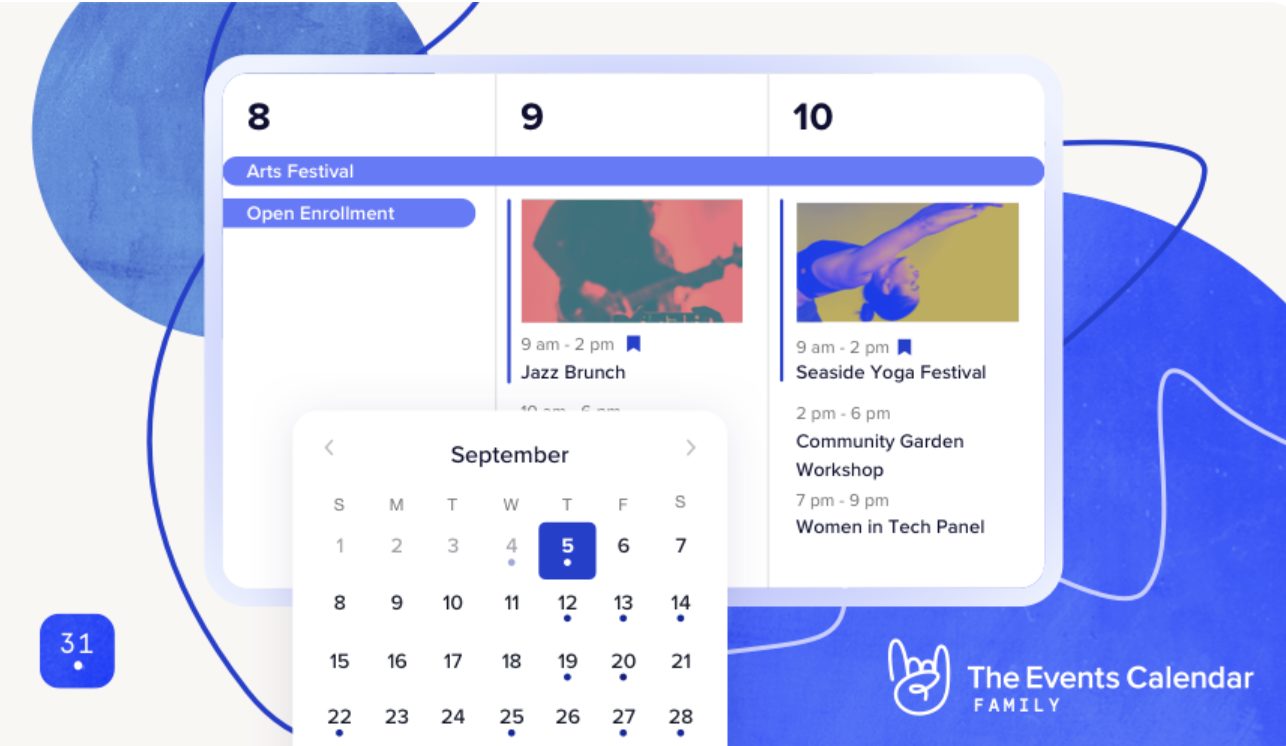
esta vez、人気テーマCocoon yThe Events Calendar(TEC) を併用した際に発生していた不具合を完全に解消できたので、備忘録としてまとめます。同じ問題で悩んでいる方の参考になれば幸いです。
発生していた不具合
Cocoonで以下の問題が発生していました:
- The Events Calendar(TEC)の「イベントリスト・ウィジェット」を有効化すると、Cocoon設定の一部タブが動作しなくなる
調査の結果、TECウィジェットが読み込むスクリプトがCocoonの管理画面スクリプトと競合している ことが原因でした。
不具合の解決方法
TEC標準ウィジェットを使わず、独自ショートコード化する
TEC本体ではなく、ウィジェット部品が原因 だったため、
ウィジェットを使用せず、functions.php Aショートコード版ウィジェット を自作することで競合を完全解消しました。
Cocoon子テーマ(functions.php)に追加するコード
// -----------------------------
// TEC List Widget のショートコード(サムネイル・カテゴリカラー対応)
// 使用例: [tec_list_widget posts_per_page="5"]
// -----------------------------
function ipolani_tec_list_shortcode($atts) {
    $atts = shortcode_atts([
        'posts_per_page' => 5,
    ], $atts, 'tec_list_widget');

    if ( ! function_exists('tribe_get_events') ) {
        return '<p>The Events Calendar が有効ではありません。</p>';
    }

    $events = tribe_get_events([
        'posts_per_page' => intval($atts['posts_per_page']),
        'start_date'     => date('Y-m-d H:i:s'),
        'orderby'        => 'event_date',
        'order'          => 'ASC',
    ]);

    if ( empty($events) ) {
        return '<p>表示するイベントはありません。</p>';
    }

    $output  = '<div class="tec-list-widget-shortcode">';
    $output .= '<div class="tribe-compatibility-container">';
    $output .= '<div class="tribe-common tribe-events tribe-events-view tribe-events-view--widget-events-list tribe-events-widget">';
    $output .= '<div class="tribe-events-widget-events-list">';

    // ヘッダー
    $output .= '<header class="tribe-events-widget-events-list__header">';
    $output .= '<h2 class="tribe-events-widget-events-list__header-title tribe-common-h6 tribe-common-h--alt">今後のイベント</h2>';
    $output .= '</header>';

    $output .= '<div class="tribe-events-widget-events-list__events">';

    foreach ( $events as $event ) {
        $link   = get_permalink($event->ID);
        $title  = get_the_title($event->ID);
        $start  = tribe_get_start_date($event, true, 'Y-m-d H:i');
        $end    = tribe_get_end_date($event, true, 'Y-m-d H:i');
        $thumb  = get_the_post_thumbnail_url($event->ID, 'thumbnail');
        $cats   = get_the_terms($event->ID, 'tribe_events_cat');

        // カテゴリカラー
        $cat_class = '';
        if ( $cats && ! is_wp_error($cats) ) {
            $cat_color = get_term_meta($cats[0]->term_id, 'color', true);
            if ( $cat_color ) {
                $cat_class = ' style="border-left: 4px solid '. esc_attr($cat_color) .'; padding-left:4px;"';
            }
        }

        $output .= '<div class="tribe-common-g-row tribe-events-widget-events-list__event-row">';

        // 日付
        $output .= '<div class="tribe-events-widget-events-list__event-date-tag tribe-common-g-col">';
        $output .= '<time class="tribe-events-widget-events-list__event-date-tag-datetime" datetime="'.esc_attr($start).'">';
        $output .= '<span class="tribe-events-widget-events-list__event-date-tag-month">'.date_i18n('n月', strtotime($start)).'</span>';
        $output .= '<span class="tribe-events-widget-events-list__event-date-tag-daynum tribe-common-h2 tribe-common-h4--min-medium">'.date_i18n('j', strtotime($start)).'</span>';
        $output .= '</time></div>';

        // 本文・サムネイル
        $output .= '<div class="tribe-events-widget-events-list__event-wrapper tribe-common-g-col"'. $cat_class .'>';
        $output .= '<article class="tribe-events-widget-events-list__event post-'.esc_attr($event->ID).' tribe_events type-tribe_events status-publish">';
        $output .= '<div class="tribe-events-widget-events-list__event-details">';

        if ( $thumb ) {
            $output .= '<div class="tribe-events-widget-events-list__event-thumbnail">';
            $output .= '<a href="'.esc_url($link).'" title="'.esc_attr($title).'">';
            $output .= '<img src="'.esc_url($thumb).'" alt="'.esc_attr($title).'">';
            $output .= '</a></div>';
        }

        $output .= '<header class="tribe-events-widget-events-list__event-header">';
        $output .= '<div class="tribe-events-widget-events-list__event-datetime-wrapper tribe-common-b2 tribe-common-b3--min-medium">';
        $output .= '<time class="tribe-events-widget-events-list__event-datetime" datetime="'.esc_attr($start).'">';
        $output .= '<span class="tribe-event-date-start">'.date_i18n('H:i', strtotime($start)).'</span>〜';
        $output .= '<span class="tribe-event-date-end">'.date_i18n('H:i', strtotime($end)).'</span>';
        $output .= '</time></div>';

        $output .= '<h3 class="tribe-events-widget-events-list__event-title tribe-common-h7">';
        $output .= '<a href="'.esc_url($link).'" title="'.esc_attr($title).'" rel="bookmark" class="tribe-events-widget-events-list__event-title-link tribe-common-anchor-thin">';
        $output .= esc_html($title).'</a></h3>';

        $output .= '</header></div></article></div>';
        $output .= '</div>';
    }

    $output .= '</div>';

    // 「カレンダーを表示」
    $output .= '<div class="tribe-events-widget-events-list__view-more tribe-common-b1 tribe-common-b2--min-medium">';
    $output .= '<a href="'.esc_url(get_post_type_archive_link('tribe_events')).'" class="tribe-events-widget-events-list__view-more-link tribe-common-anchor-thin">カレンダーを表示</a>';
    $output .= '</div>';

    $output .= '</div></div></div></div>';

    return $output;
}
add_shortcode('tec_list_widget', 'ipolani_tec_list_shortcode');

// ウィジェットでショートコードを有効化
add_filter('widget_text', 'do_shortcode');
add_filter('widget_text_content', 'do_shortcode');
ウィジェットへの追加方法
- WordPress 管理画面 → 外観 → ウィジェット
- 「カスタム HTML」をサイドバーへ追加
- 以下を貼り付けるだけ:
[tec_list_widget posts_per_page="5"]
Cocoon調整済みCSS(TEC完全一致版)
※ショートコード用CSSをstyle.css に追加することで、Cocoon標準ウィジェットと見た目を完全に揃えられます。一部、私用に文字色指定などが入っています。
/* -----------------------------
   TEC List Widget ショートコード用 CSS(Cocoon 完全一致版)
----------------------------- */
/* ラッパー調整 */
.tec-list-widget-shortcode,
.widget_custom_html .tribe-events-widget-events-list,
.tribe-events-widget-events-list {
    margin: 0;
    padding: 0;
    list-style: none;
    font-family: inherit;
}
/* イベントリスト */
.widget_custom_html .tribe-events-widget-events-list__events,
.tribe-events-widget-events-list__events {
    display: flex;
    flex-direction: column;
    gap: 16px;
}
/* 各イベント行 */
.widget_custom_html .tribe-events-widget-events-list__event-row,
.tribe-events-widget-events-list__event-row {
    display: flex;
    align-items: flex-start;
    border-bottom: 1px solid #e6e6e6;
    padding: 12px 0;
}
/* 日付部分 */
.widget_custom_html .tribe-events-widget-events-list__event-date-tag,
.tribe-events-widget-events-list__event-date-tag {
    width: 60px;
    text-align: left;
    margin-right: 12px;
    flex-shrink: 0;
}
/* 月・日 */
.widget_custom_html .tribe-events-widget-events-list__event-date-tag-month,
.tribe-events-widget-events-list__event-date-tag-month {
    display: block;
    font-size: 0.75rem;
    color: #999;
    line-height: 1;
}
.widget_custom_html .tribe-events-widget-events-list__event-date-tag-daynum,
.tribe-events-widget-events-list__event-date-tag-daynum {
    display: block;
    font-size: 1.5rem;
    font-weight: bold;
    line-height: 1;
    color: #333;
}
/* イベント詳細 */
.widget_custom_html .tribe-events-widget-events-list__event-wrapper,
.tribe-events-widget-events-list__event-wrapper {
    flex: 1;
    display: flex;
    flex-direction: column;
}
/* サムネイル表示 */
.widget_custom_html .tribe-events-widget-events-list__event-thumbnail,
.tribe-events-widget-events-list__event-thumbnail {
    margin-bottom: 6px;
    display: none; /* ← display:none */
}
.widget_custom_html .tribe-events-widget-events-list__event-thumbnail img,
.tribe-events-widget-events-list__event-thumbnail img {
    width: 100%;
    height: auto;
    display: block;
    border-radius: 4px;
}
/* 日時 */
.widget_custom_html .tribe-events-widget-events-list__event-datetime-wrapper,
.tribe-events-widget-events-list__event-datetime-wrapper {
    font-size: 0.85rem;
    color: #666;
    margin-bottom: 4px;
}
/* タイトル */
.widget_custom_html .tribe-events-widget-events-list__event-title,
.tribe-events-widget-events-list__event-title {
    font-size: 1rem;
    font-weight: 500;
    margin: 0;
}
.widget_custom_html .tribe-events-widget-events-list__event-title-link,
.tribe-events-widget-events-list__event-title-link {
    color: #222;
    text-decoration: none;
}
.widget_custom_html .tribe-events-widget-events-list__event-title-link:hover,
.tribe-events-widget-events-list__event-title-link:hover {
    color: #0073aa;
    text-decoration: underline;
}
/* カテゴリカラー左ライン */
.widget_custom_html .tribe-events-widget-events-list__event-wrapper[style],
.tribe-events-widget-events-list__event-wrapper[style] {
    border-left-width: 4px;
    border-left-style: solid;
    padding-left: 8px;
    margin-left: 0;
}
/* 「カレンダーを表示」リンク */
.widget_custom_html .tribe-events-widget-events-list__view-more,
.tribe-events-widget-events-list__view-more {
    margin-top: 12px;
    text-align: left;
}
.widget_custom_html .tribe-events-widget-events-list__view-more-link,
.tribe-events-widget-events-list__view-more-link {
    font-size: 1.1rem;
    color: #e54c7d;
    text-decoration: none;
}
.widget_custom_html .tribe-events-widget-events-list__view-more-link:hover,
.tribe-events-widget-events-list__view-more-link:hover {
    text-decoration: underline;
}
/* 今後のイベント帯高さ */
.tribe-common .tribe-common-h--alt {
    padding: 12px 12px 12px 12px;
    font-size: .9em;
}
/* スマホ対応 */
@media screen and (max-width: 600px) {
    .widget_custom_html .tribe-events-widget-events-list__event-row,
    .tribe-events-widget-events-list__event-row {
        flex-direction: column;
    }
    .widget_custom_html .tribe-events-widget-events-list__event-date-tag,
    .tribe-events-widget-events-list__event-date-tag {
        width: 100%;
        margin-bottom: 4px;
    }
}
追記:TECイベント投稿を「通常投稿一覧」に表示する方法
TECのイベント投稿(tribe_events)は通常投稿とは別扱いのため、
トップページの新着記事や Cocoon の[ new_list ] には表示されません。
以下のコードfunctions.php に追記します。TECのイベント投稿も通常投稿一覧に自動追加可能です。
/ -----------------------------
// tribe_events 投稿を一般投稿にも表示
// -----------------------------
function my_add_tribe_events_to_posts($query) {
    if (is_admin() || !$query->is_main_query() || !$query->is_home() || $query->get('tribe_events_added')) {
        return;
    }

    $query->set('post_type', ['post', 'tribe_events']);
    $query->set('tribe_events_added', true);
}
add_action('pre_get_posts', 'my_add_tribe_events_to_posts', 50);

// [new_list] ショートコードに tribe_events を自動追加
function modify_new_list_shortcode($atts) {
    if (isset($atts['post_type']) && $atts['post_type'] === 'post') {
        $atts['post_type'] = 'post,tribe_events';
    }
    return $atts;
}
add_filter('shortcode_atts_new_list', 'modify_new_list_shortcode', 10, 1);追記:TECの住所表記を日本式に変更する方法
The Events Calendar(TEC)の住所は海外向け表記となっており、
「番地 → 市区町村 → 都道府県 → Japan」 の順で出力されます。
日本語サイトでは見栄えが悪いため、
「都道府県 → 市区町村 → 番地」 の一般的な日本式表記に並べ替える JavaScript を追加します。
JavaScriptで住所を並べ替え
cocoon-child/js/tribe-address-fix.jsを作成し、以下を記述:
document.addEventListener('DOMContentLoaded', function() {
    // 一覧ページの住所を日本式に並べ替え
    const addresses = document.querySelectorAll('.tribe-events-calendar-list__event-venue-address');

    addresses.forEach(function(addr) {
        let text = addr.textContent.trim();

        // 「番地 市区町村 都道府県 Japan」
        // → 「都道府県 市区町村 番地」に変換
        // 例: "世田谷4-1-12 世田谷区 東京都 Japan" → "東京都 世田谷区 世田谷4-1-12"
        text = text.replace(' Japan', ''); // 「Japan」を削除
        const parts = text.split(' ');

        if (parts.length === 3) {
            addr.textContent = `${parts[2]} ${parts[1]} ${parts[0]}`;
        }
    });
});- Cocoon 子テーマの
functions.phpに読み込みを追加:
// -----------------------------
// TEC の住所を日本語式に変換するJSを読み込む
// -----------------------------
function child_theme_enqueue_scripts() {
    wp_enqueue_script(
        'tribe-address-fix',
        get_stylesheet_directory_uri() . '/js/tribe-address-fix.js',
        array(),
        '1.0',
        true
    );
}
add_action( 'wp_enqueue_scripts', 'child_theme_enqueue_scripts' );以上で、Cocoon × TECの不具合は完全に解消され、
ショートコード化したウィジェットで通常投稿一覧やCSSもCocoonに完全対応可能です。
💡 ポイント:
- TEC標準ウィジェットの競合回避は「ショートコード化」が最も安全
- CSSを整えることで、Cocoon標準ウィジェットと完全一致
- 日本語サイトなら住所表示もJavaScriptで整える
追記、イベントカレンダーの文字色など調整
The Events Calenderをインストールするとwordpressのダッシュボード「イベント」タブが追加されるのは、ご存知だと思います。
wordpressのダッシュボードの外観<カスタマイズ<追加CSSの上に「The Events Calender」タブが出現しています。その中でかなり細かく文字などの色指定ができます。

